
Human resources
Leave taken out of the spreadsheet and out of the inbox
The record of leave lived in a file kept by one person, and approvals travelled by email. It worked, until two managers approved the same day in parallel.
A company with more than fifty employees across three sites
Where we started
The part missing from most case studies, and the only one that tells you whether it resembles your own situation.
A leave request was submitted on paper or by email, worded differently by everyone. The department head replied "ok" and the email stayed in the inbox as proof. In HR, one person kept a file with each employee's remaining days and updated it as they heard about approvals.
The arrangement held for as long as every request passed through the same person. Once the company reached three sites and several approvers, situations appeared that nobody could reconstruct: two approvals in parallel for the same day, leave taken and never recorded, a balance the employee disputed and nobody could demonstrate.
What was breaking, concretely
- The balance of days existed in a single place, updated by hand, with no history of changes.
- An approval was an email — it could not be searched, could not be reported on, and left with the person who left the company.
- Overlaps within a team were discovered on the day both people were missing.
- At year end, reconstructing the days taken cost several days of work and still left discrepancies.
Goals
What the application had to solve
The balance of days should calculate itself from approved requests, not from someone's memory.
Every approval decision should stay in writing, with an author and a timestamp.
Overlaps within a team should be visible before approval, not after.
The data should come out in the form timesheets and accounting need, without re-typing.
What we built
The application, module by module
Not a feature list, but what each piece does and why it was needed.
-
01
The request and the balance
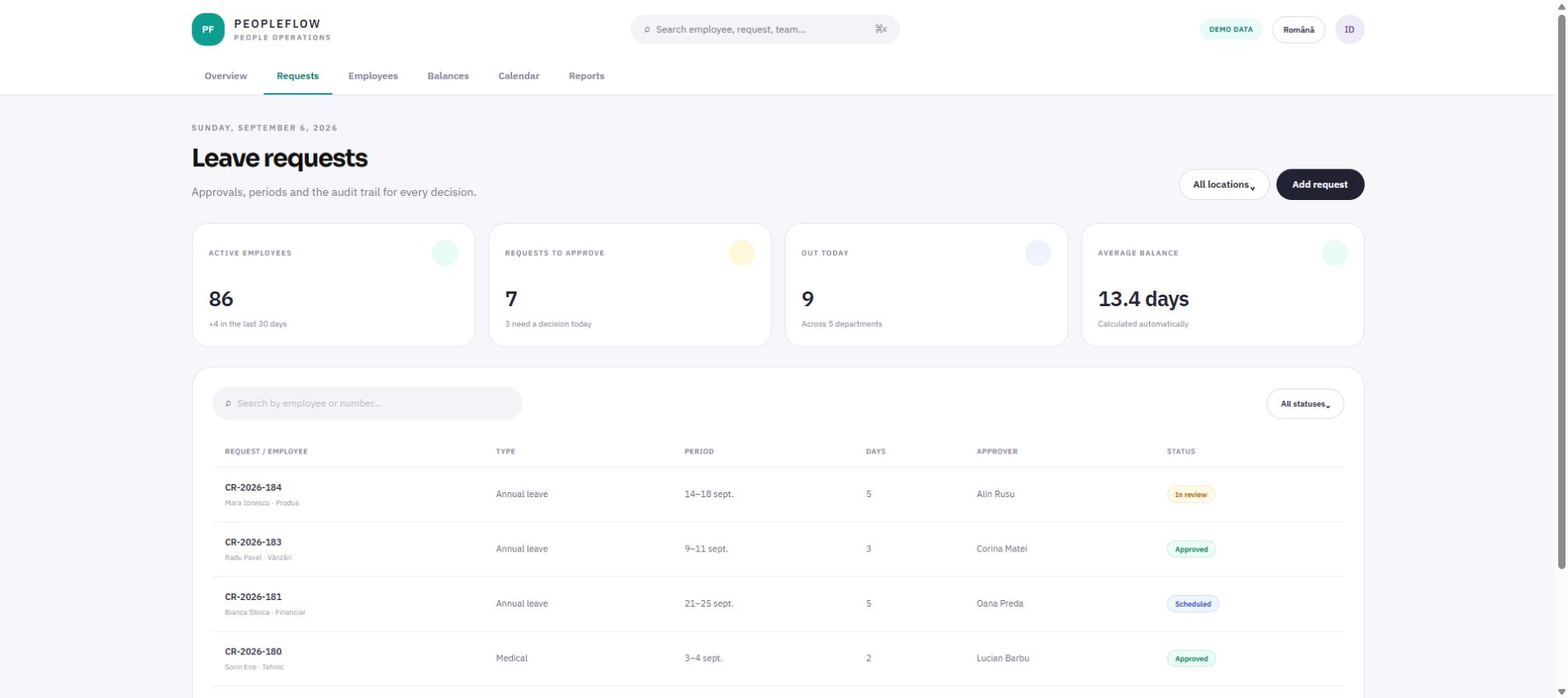
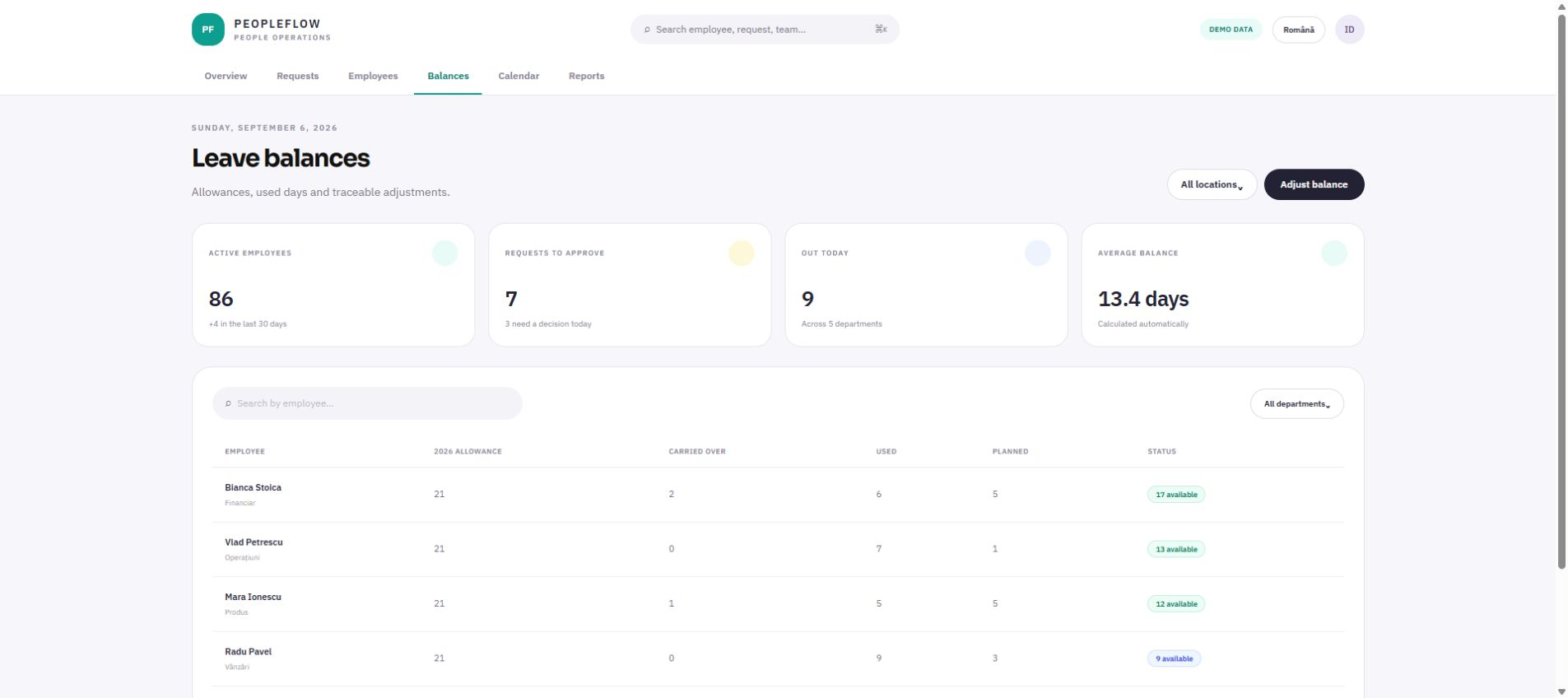
The employee submits the request in the application and immediately sees how many days remain, by type: annual, sick, unpaid, special events. The balance is not a field someone fills in, it is the result of the requests approved up to that moment.
What it covers
- Leave types with their own rules for deducting from the balance
- Public holidays and weekends excluded from the calculation automatically
- The employee's own request history, visible to them
-
02
Multi-level approval
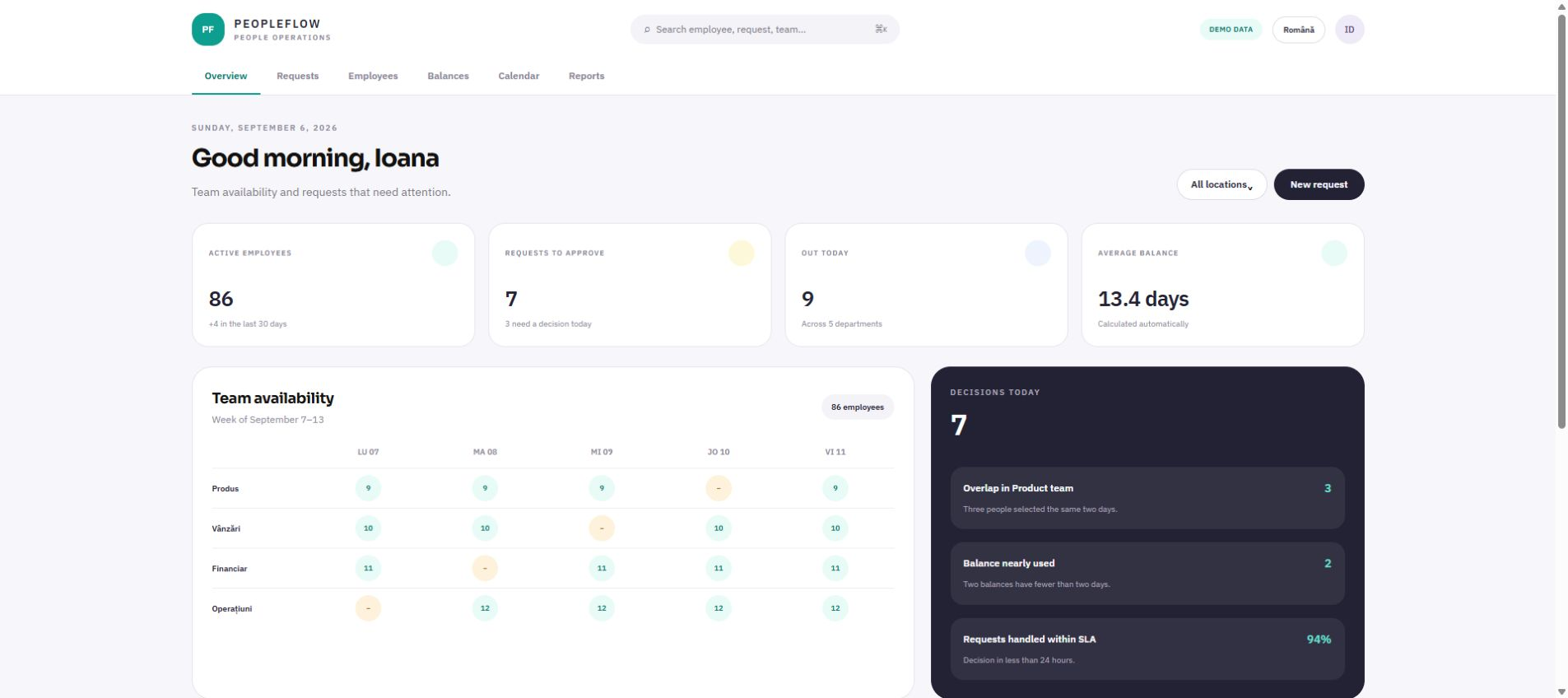
The request travels up the approval chain configured for that department. Every step stays in the history with who decided, when, and what they wrote. On the same page, the approver sees who else on the team is away during the requested period.
What it covers
- An approval chain configurable per department
- Delegation for the period when the approver is away themselves
- An overlap warning before confirming
-
03
The team calendar and the exports
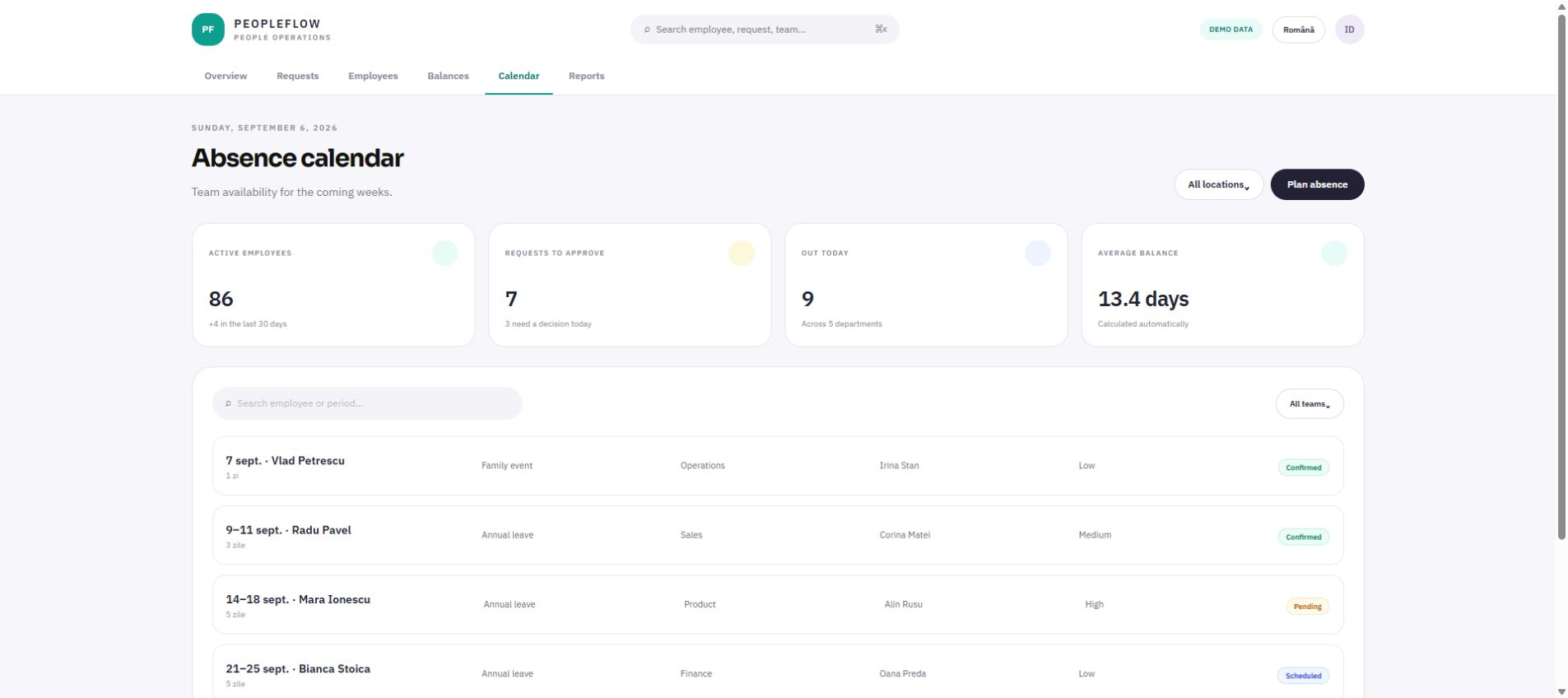
A team calendar showing all approved absences and those still in approval, in different states. From it, the exports for timesheets and accounting are generated, in the format the payroll software already expected.
What it covers
- A monthly, per-team view with pending absences marked separately
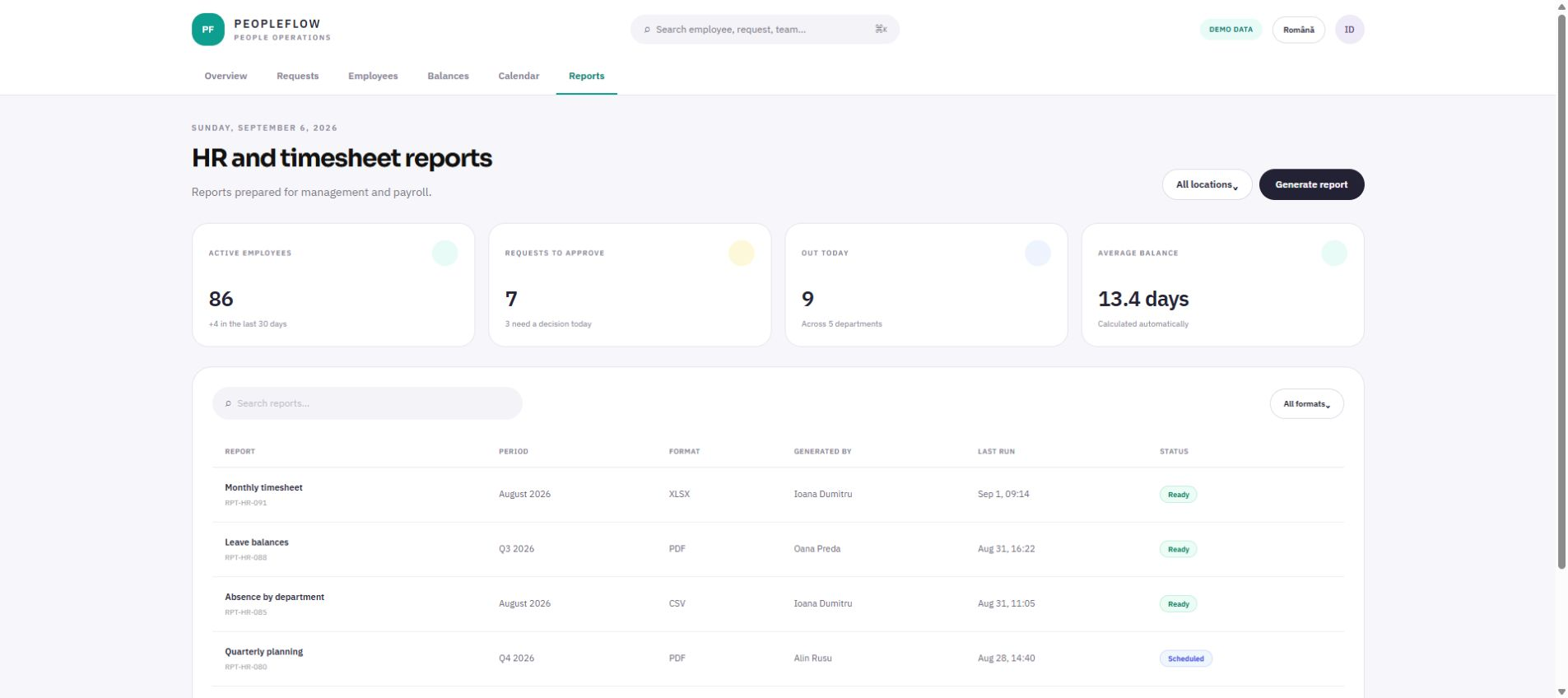
- A timesheet export, by period and by department
- A balance report for the year-end close
Decisions
What we chose and why
The choices that changed the project: where we took the simpler option, where we insisted on the more expensive one, and what would have happened otherwise.
We did not integrate with payroll in the first version
A direct integration was requested from the start. We deliberately postponed it to the second version and delivered an export in the expected format. The reason: the integration depended on an external supplier and their calendar, and the application would have sat unused for months waiting for it. The export solved ninety per cent of the need in the first week.
The balance is recalculated, not stored
It would have been simpler to hold a number and subtract from it on every approval. We chose to recalculate it from the approved requests every time. It costs a little more to display, but it means a wrong balance cannot exist: if the figure looks wrong, you can see exactly which requests it is made of.
The approver sees the team, not just the request
The first version of the approval screen showed only the request. In testing with real users, the first thing every approver did was open a second tab with the calendar. We moved the calendar onto the same page. It is a small change, but it is the difference between an application that gets used and one that gets worked around.
How the work looks now
No percentages and no hours saved — only what you can see by opening the application.
The request, the approval and the balance live in the same place, and every decision has an author and a timestamp. Nobody searches their inbox any more for proof that leave was approved.
- The employee sees their balance without asking anyone in HR.
- The approver sees overlaps before clicking, not afterwards.
- The year-end close comes from a report, not from reconstruction.
- An absent approver no longer blocks requests: delegation is part of the flow.
What we learned
Including what we got wrong
The most valuable hour of the project was the one spent sitting next to a department head approving requests. Nothing we learned there had come up in the conversations with management.
A well-built export buys months of patience on a complicated integration. "Export first, integration later" should have been our proposal from the start, not the compromise reached midway.
Interactive demo
Open the application, not only its story
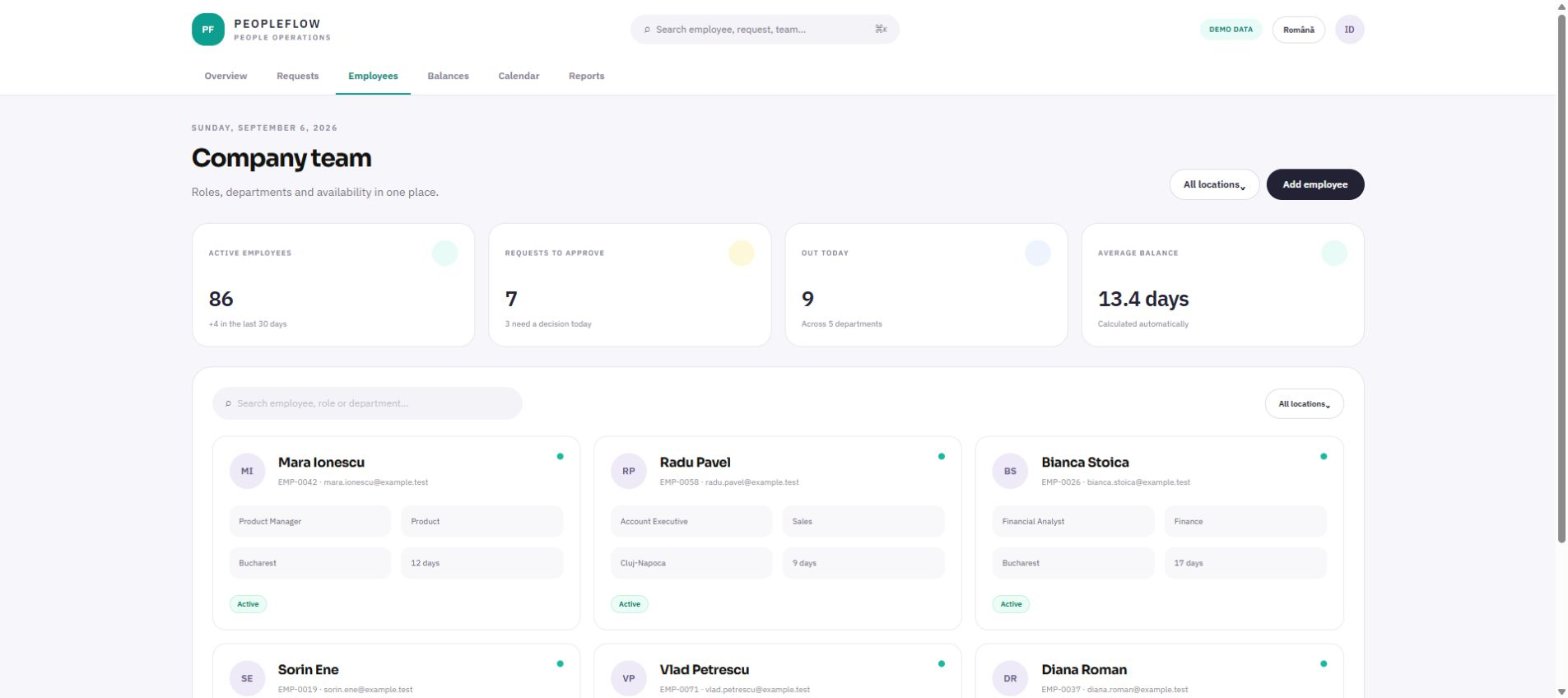
Six working screens, with navigation and search, available in English and Romanian. The names, companies and figures are demonstrative.
Frequently asked questions
What people ask us about this project
If your question is not here, write to us — we answer just as directly.
Ask us a questionCan it connect to the payroll software we use?
Usually yes, but it depends what interface the software exposes. We check that during analysis, before promising anything. If a direct integration is not possible or is delayed, an export in the expected format solves the same need and ships in a few days.
Does it work for a company with several sites?
Yes — this project started precisely from the problem of several sites with different approvers. The approval chain is configured per department, and the calendar can be filtered by site.
How long does an application like this take?
Here, seven weeks to the version actually used across the company, plus a further stage for integrations and reports. The timeline depends more on how many rules of its own the company has than on the number of employees.
What we used from what we do
The project above happened once. These pages say what we deliver in general, who it suits and how long it takes.
ERP and internal systems
Internal applications that bring together in one place the operations currently held in dozens of spreadsheets.
Details → 8-16 weeks ServiceAutomation
We move into code the repetitive work someone currently does by hand every morning.
Details → 1-5 weeks ServiceWeb applications
Web applications for processes an ordinary website, a CMS or an off-the-shelf product cannot cover.
Details → 4-10 weeksOther projects
See all case studies →A payment notice the owner understands unaided
The manager spent more time explaining the calculation than doing it. The application did not shorten the calculation — it removed the need for the explanation.
Read →The receipt photographed on the spot, the claim closed without the pile
Receipts collected in a wallet and reached accounting once a month, creased and without context. Half the time spent on claims went into reconstructing who spent what, where and why.
Read →A CRM salespeople actually log into
The company already had a subscription CRM. The problem was not a missing tool, it was that nobody filled it in — because it gave nothing back to the person entering the data.
Read →Do you recognise anything in the situation above?
Tell us how you work today and where it gets stuck. The first conversation is about you, not about what we did for someone else.