
Finance
The receipt photographed on the spot, the claim closed without the pile
Receipts collected in a wallet and reached accounting once a month, creased and without context. Half the time spent on claims went into reconstructing who spent what, where and why.
A company with field teams and monthly expense claims
Where we started
The part missing from most case studies, and the only one that tells you whether it resembles your own situation.
Field staff paid from their own money or from an advance and collected the receipts. At month end an envelope of paper reached accounting, where someone sorted it, glued it onto sheets and tried to reconstruct the context of each item. Lost thermal receipts were a category of their own: after three weeks in a wallet, half of them were unreadable.
The manager approved the claim at the end, when nothing could be done about it. An expense over the threshold was discovered after it had already been incurred, and the conversation became about the past rather than about the rules.
What was breaking, concretely
- The context of an expense existed only in the memory of the person who incurred it.
- Thermal receipts faded before they reached accounting.
- Threshold overruns showed up at approval, too late to matter.
- Allocation to a project or cost centre was estimated at month end.
Goals
What the application had to solve
The expense should be recorded when it happens, not three weeks later.
The document should be saved before it can deteriorate or be lost.
A threshold overrun should be flagged before the expense, not after.
Accounting should receive the data in the form it already uses, with the documents attached.
What we built
The application, module by module
Not a feature list, but what each piece does and why it was needed.
-
01
Recording from the field
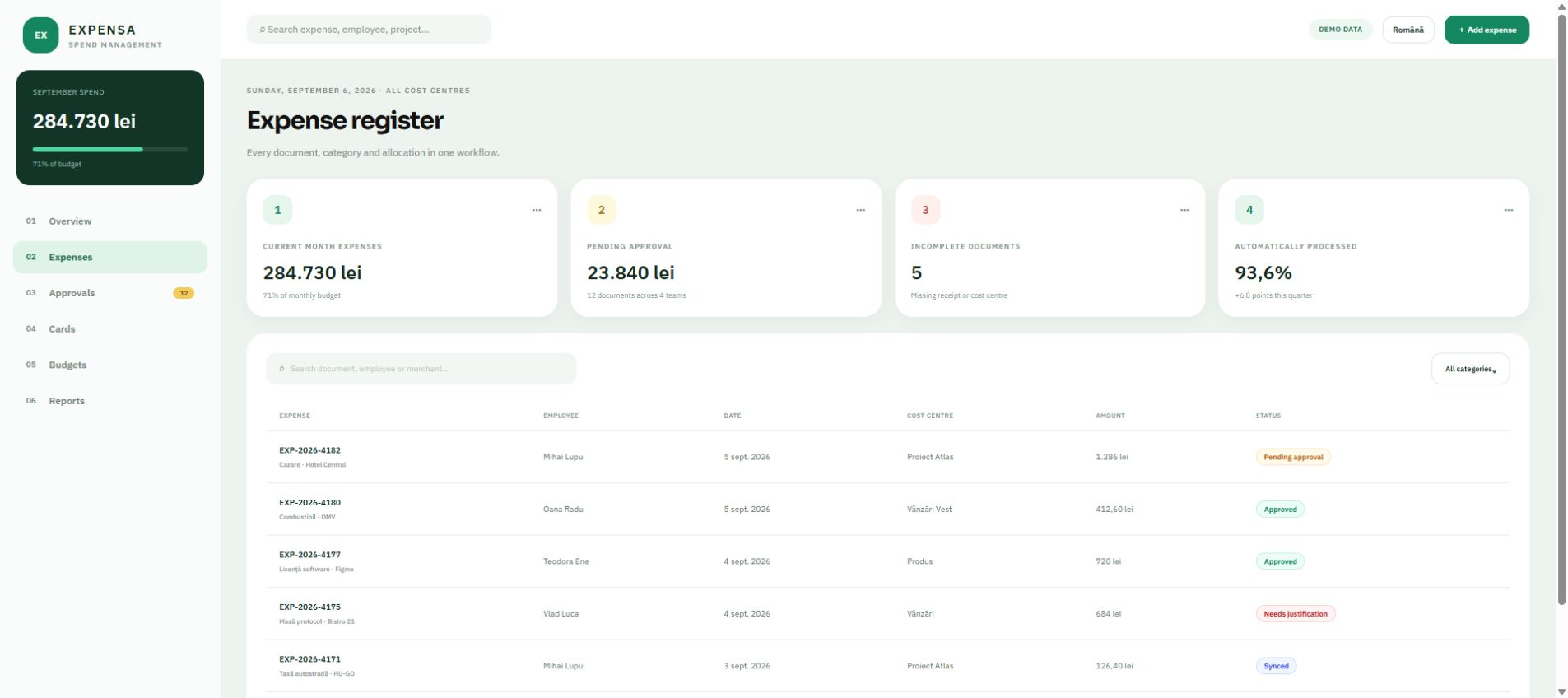
The person opens the application on their phone, photographs the receipt, picks the category and the project, and types the amount. It takes under a minute and it happens at the till, while the context is still fresh. The application is a PWA: it opens from a link, with no store installation.
What it covers
- The receipt photograph, saved to the server immediately
- The company's own categories and cost centres, not a generic list
- It works without a signal: the entry syncs when one returns
-
02
Thresholds and approval
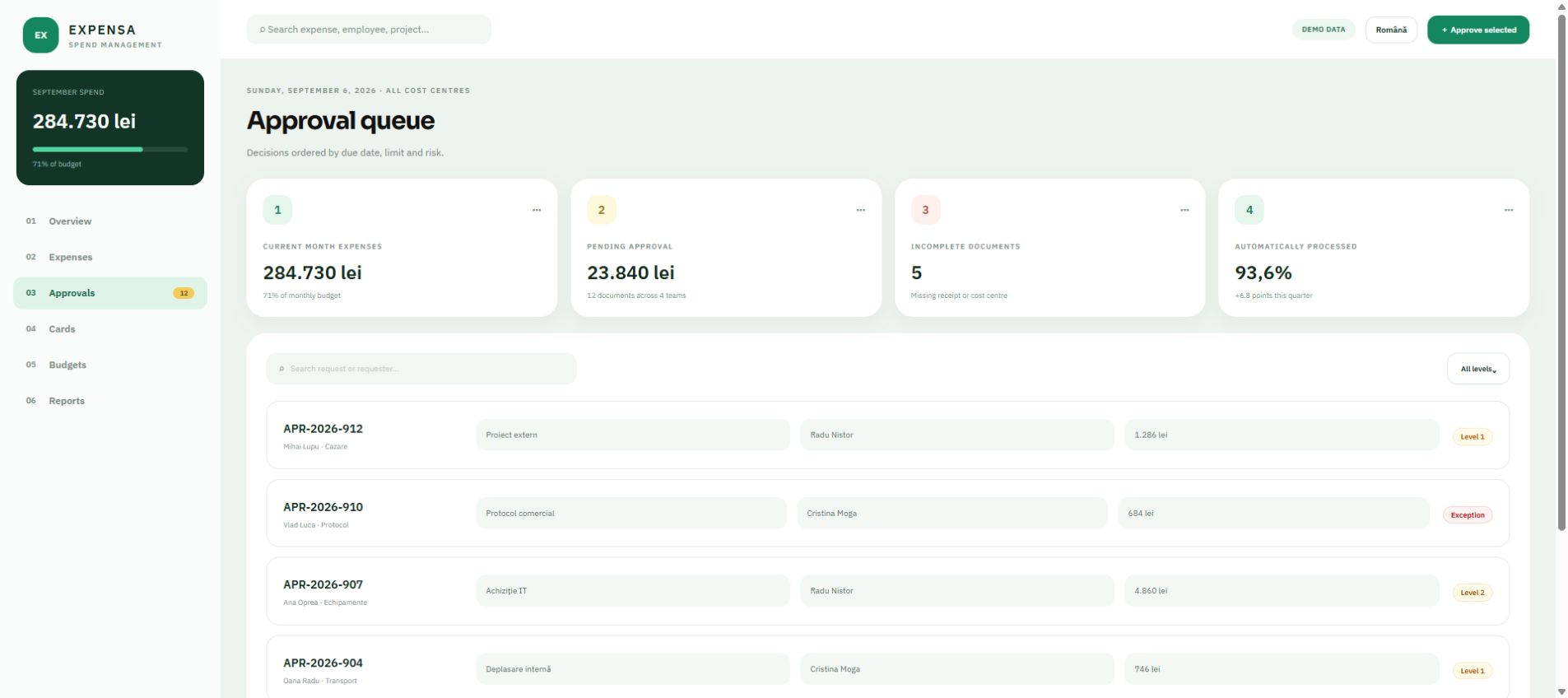
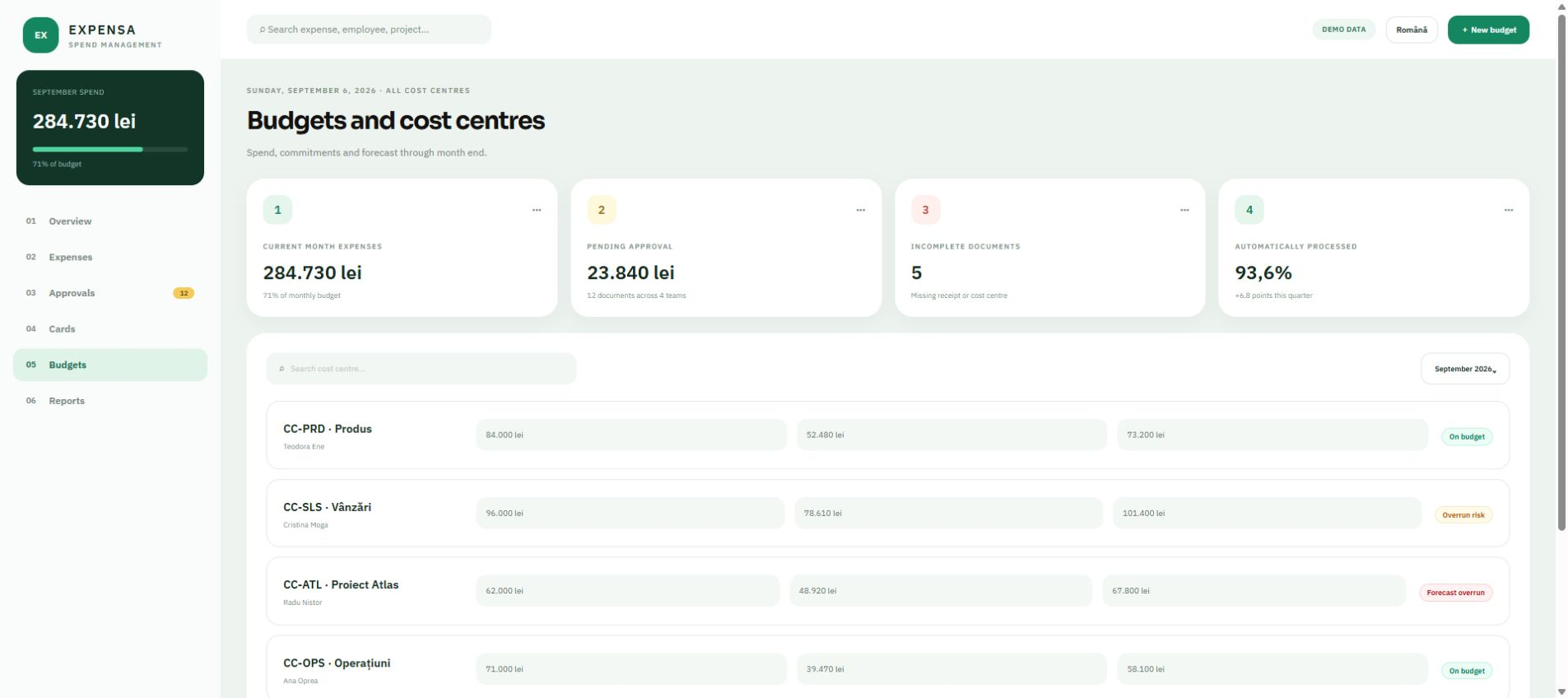
Every category has a threshold, per day or per month. When an expense approaches the limit, the person gets the warning at the moment of entry. Approval goes to the manager, with a value threshold: below it, approval happens at team level; above it, it goes higher.
What it covers
- Limits per category, with a warning before they are exceeded
- Approval by manager and by value threshold
- The reason for a rejection stays in writing, visible to the person who spent
-
03
Closing the month
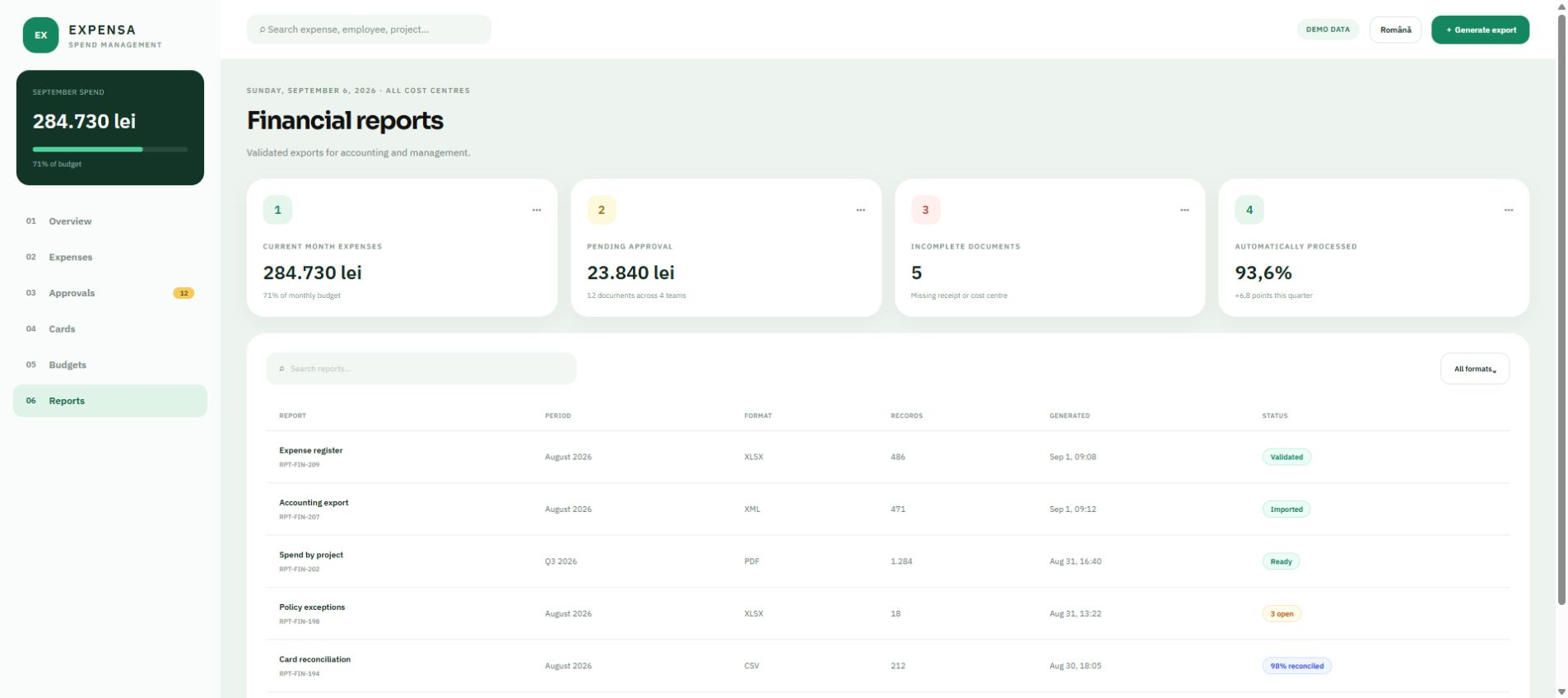
At month end the claim is already assembled: every expense is categorised, approved and has its document attached. The export goes to accounting in the format of the software used there, with the documents in an archive, named after the line they belong to.
What it covers
- An export in the accounting software's format
- An archive of documents, named after their position in the claim
- Reports by person, by category and by cost centre
Decisions
What we chose and why
The choices that changed the project: where we took the simpler option, where we insisted on the more expensive one, and what would have happened otherwise.
The amount is typed by a person, not read from the photo
Automatic recognition of the amount on the receipt was the first requirement. We built it and tested it on real receipts: on creased thermal paper the error rate was high enough to turn every claim into a verification exercise. We removed it. A person types the amount in three seconds and it is certain. The photo stays as a document, which is its real job.
A PWA instead of a store app
An app published in the stores would have meant two builds, two review processes, and an update half the people never install. An installable web application opens from a link, updates itself and has camera access. The accepted trade-off: notifications are more limited. It did not matter for this flow.
A warning, not a block
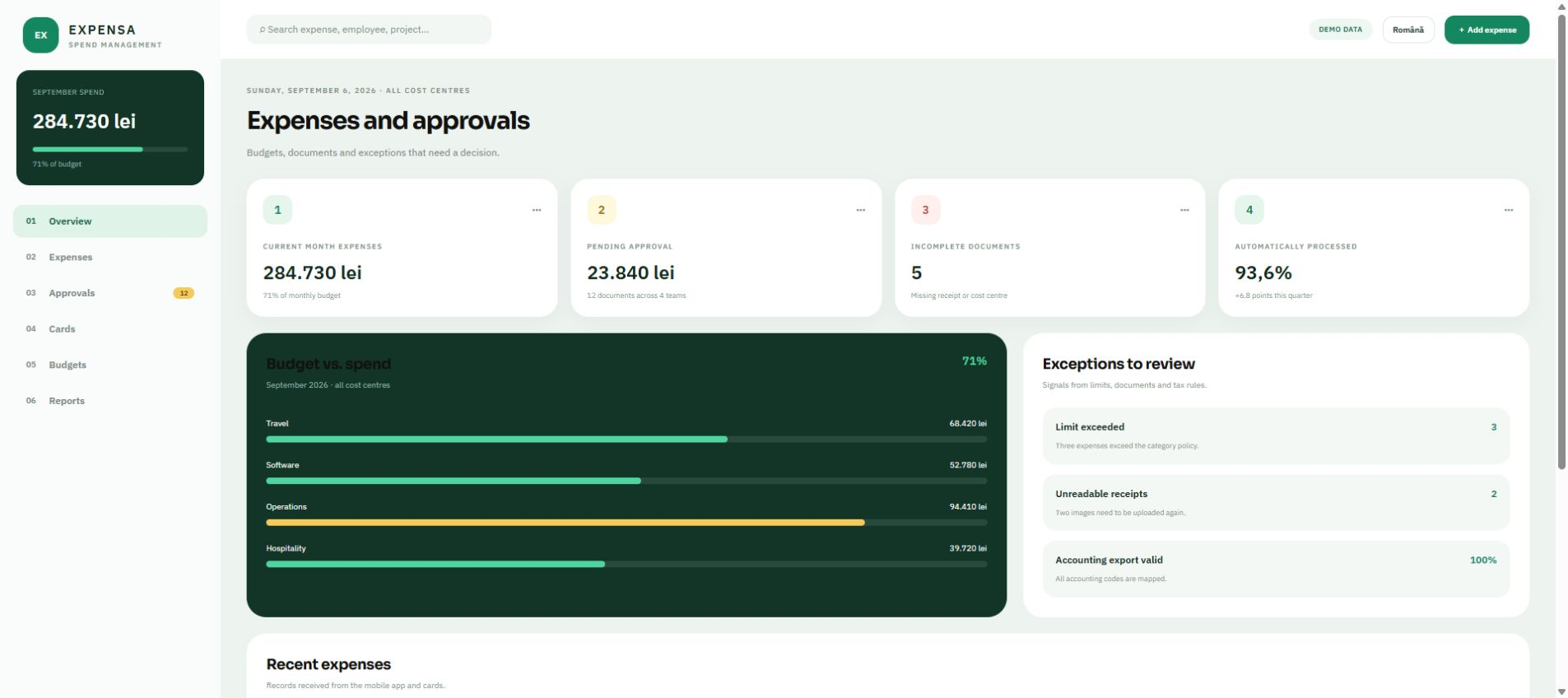
We were asked to have the application block expenses over the threshold. We refused and proposed a warning with a mandatory justification. A block in a field application means someone pays anyway and records it elsewhere, and then you learn nothing. A warning keeps the expense in the system and moves the conversation where it belongs.
How the work looks now
No percentages and no hours saved — only what you can see by opening the application.
The claim is no longer assembled at month end, it builds up as it goes. Accounting receives data already categorised, with a legible document attached to every line.
- The document is saved at the moment of the expense, before it can fade.
- The context is filled in by the person who incurred it, while they still know it.
- A threshold overrun appears with a justification, not as a surprise at approval.
- Allocation to a project happens at source, rather than being estimated at the end.
What we learned
Including what we got wrong
An impressive feature that is sometimes wrong is worse than a mundane one that is never wrong. Automatic amount recognition looked good in a demo and was a problem in daily use.
Rules that block people in the field are not followed, they are worked around. A rule that warns and asks for an explanation stays in force because it stops nobody from doing their job.
Interactive demo
Open the application, not only its story
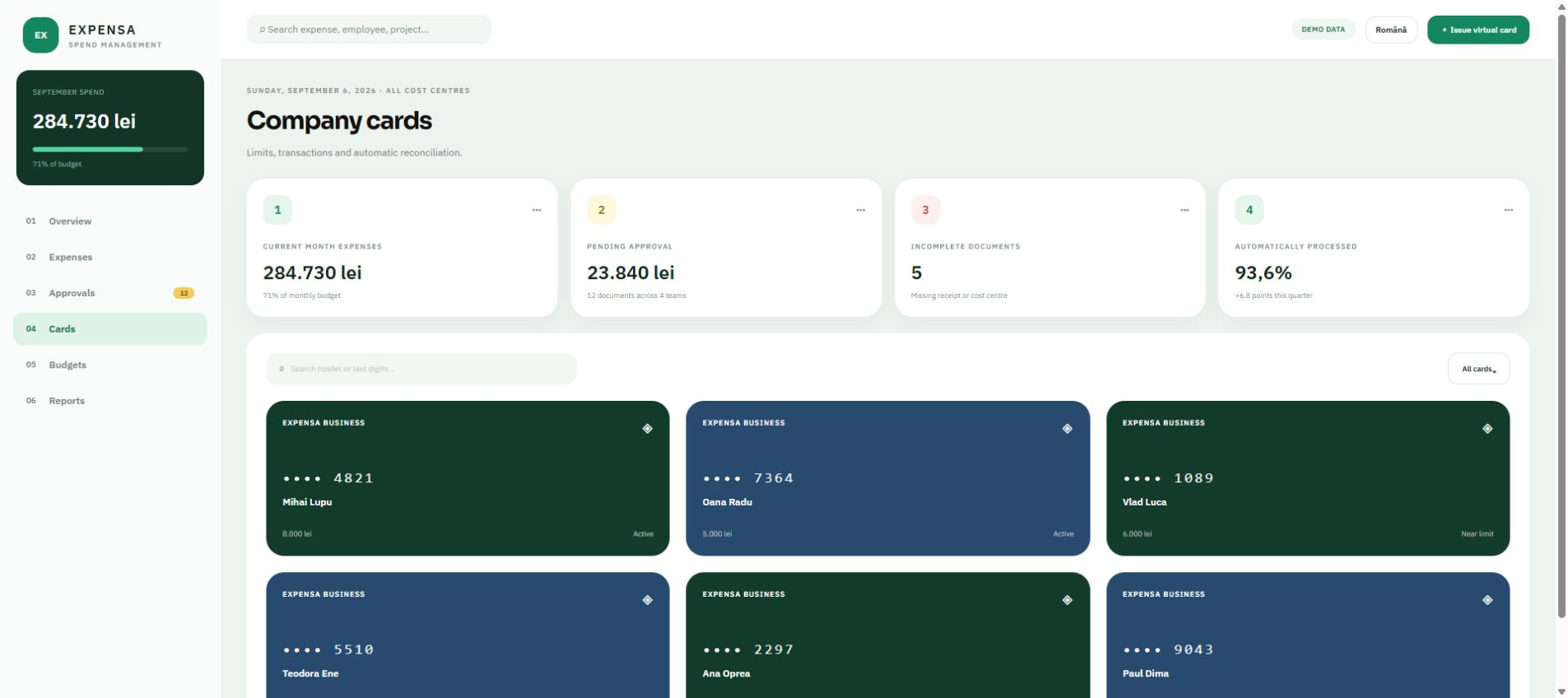
Six working screens, with navigation and search, available in English and Romanian. The names, companies and figures are demonstrative.
Frequently asked questions
What people ask us about this project
If your question is not here, write to us — we answer just as directly.
Ask us a questionDoes it work without a signal, out in the field?
Yes. The entry and the photo are saved locally and sync when the connection returns. It was a requirement from the start, because the places without a signal are exactly where most travel expenses happen.
Does it connect to the accounting software?
Here it was done through an export in the format used there, with the documents in an archive. If your software has an integration interface, it can connect directly — we check what it exposes during analysis and only then promise anything.
Who can see other people's expenses?
It is configured per role. In this project, a field worker sees only their own expenses, the manager sees their team's, and accounting sees everything but cannot approve.
What we used from what we do
The project above happened once. These pages say what we deliver in general, who it suits and how long it takes.
Other projects
See all case studies →Leave taken out of the spreadsheet and out of the inbox
The record of leave lived in a file kept by one person, and approvals travelled by email. It worked, until two managers approved the same day in parallel.
Read →A payment notice the owner understands unaided
The manager spent more time explaining the calculation than doing it. The application did not shorten the calculation — it removed the need for the explanation.
Read →A CRM salespeople actually log into
The company already had a subscription CRM. The problem was not a missing tool, it was that nobody filled it in — because it gave nothing back to the person entering the data.
Read →Do you recognise anything in the situation above?
Tell us how you work today and where it gets stuck. The first conversation is about you, not about what we did for someone else.